How to Organize Important Family Documents: A Complete Checklist
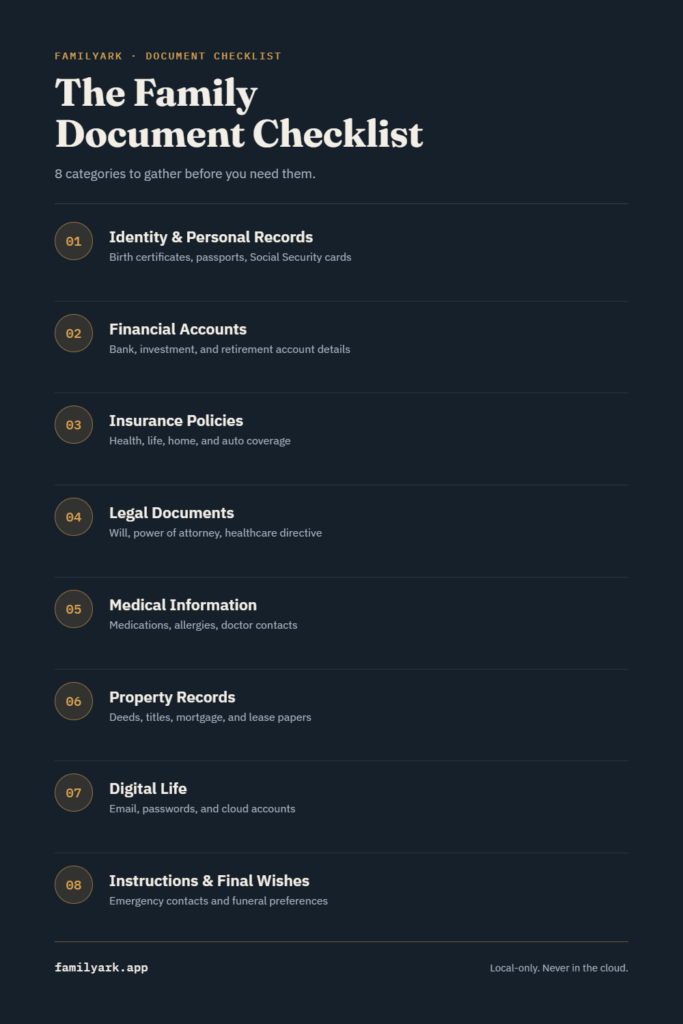
Organizing your family’s important documents means gathering everything into one place across eight categories — identity records, financial accounts, insurance, legal documents, medical information, property records, digital accounts, and final wishes — then choosing one storage method the whole family knows how to access in an emergency. Most families never finish this because they try to do it all at once. The checklist below breaks it into pieces you can knock out over a weekend.
Why this actually matters
The moment you need one of these documents is rarely a convenient one — a hospital admission, a house fire, a parent’s sudden decline, a death in the family. In those moments, “it’s somewhere in a filing cabinet” or “I think it’s in an email from 2019” isn’t good enough. A family that’s organized ahead of time spends that moment focused on each other instead of digging through drawers.
It’s also not a one-person job that only matters for “someday.” If you’re the only one who knows where the will is, where the insurance policy is, or what your accounts are, you’ve created a single point of failure. Organizing these documents is really about making sure at least one other trusted person can find what they need, when they need it, without you.
Organize Important family documents: The complete checklist, by category
1. Identity and personal records
- Birth certificates
- Social Security cards
- Passports
- Marriage, divorce, and adoption records
- Citizenship or immigration paperwork
2. Financial accounts
- Bank account details (institution, account type — not full numbers if you’re writing this down insecurely)
- Investment and retirement account statements
- Credit card and loan information
- Recurring bills and subscriptions
- Recent tax returns
3. Insurance policies
- Health insurance cards and policy numbers
- Life insurance policies and beneficiary information
- Homeowners or renters insurance
- Auto insurance
- Umbrella policies
4. Legal documents
- Will
- Power of attorney (financial and medical)
- Living will / advance healthcare directive
- Trust documents, if applicable
- Guardianship designations for minor children
5. Medical information
- Current medications and dosages
- Known allergies and chronic conditions
- Primary care and specialist contact information
- Recent medical records or a summary
- Healthcare directives (this overlaps with #4, but it’s worth having it where medical decisions actually get made)
6. Property records
- Home deed and mortgage documents
- Vehicle titles and registration
- Lease agreements
- Storage unit or safe deposit box information
7. Digital life
- Email account access
- Social media accounts
- Cloud storage logins
- Subscription services
- Passwords — ideally in a dedicated password manager or encrypted vault, never a plain text file
8. Instructions and final wishes
- Emergency contact list, in order of who to call first
- Pet care instructions
- Funeral or memorial preferences
- A short letter explaining where everything else is
That last item is the one people skip most often, and it’s arguably the most useful: a single page that says “here’s where everything is” saves whoever’s helping you from having to reconstruct this checklist themselves under pressure.
How to actually store all of this
Once you’ve gathered everything, you have three realistic options, each with real trade-offs:
A physical folder or binder. Simple, no technology required, works during a power outage. The downside is it’s a single point of failure — if it’s destroyed in a fire or flood, or if only one person knows where it’s kept, you’re back to square one. It also can’t be quickly shared with a family member in another city.
Cloud storage or a cloud-based password manager. Accessible from anywhere, easy to share and update. The trade-off is that your most sensitive information — Social Security numbers, account details, medical history — now lives on someone else’s servers, subject to their security practices, data breaches, and terms of service. For some families that’s an acceptable trade for convenience; for others, especially after the last few years of high-profile breaches, it isn’t.
A local, encrypted vault on your own device. This is the middle ground: your documents are digital, searchable, and organized like a real app rather than a folder of loose files, but nothing leaves your device or gets stored on a company’s servers. The trade-off is that access is tied to that device (or however many devices you set up), so you need a deliberate plan for how a family member gets in if something happens to you.
There’s no universally “right” answer here — it depends on how much you trust cloud storage with this specific kind of data, and how comfortable your family is with each option. What matters more than which one you pick is that you actually pick one and follow through, rather than leaving documents scattered across all three.
This is the gap FamilyArk was built for, if it’s useful context: it’s a local-only, AES-256 encrypted vault — the same eight categories above, organized and searchable, with every family member getting their own PIN-protected profile and nothing ever sent to a server. It’s a one-time purchase rather than a subscription, on the theory that something this important shouldn’t come with a recurring bill or a company that could shut down and take your data with it.
A simple weekend plan
You don’t need to do this all in one sitting. A realistic pace:
- Day one: Gather identity, financial, and insurance documents (categories 1–3). This is mostly locating paperwork you already have.
- Day two: Handle legal and medical (categories 4–5). If you don’t have a will or healthcare directive yet, this is the prompt to make that appointment.
- Whenever you have an hour: Property records and digital accounts (categories 6–7) — mostly logins and account numbers, easy to do in front of a laptop.
- Last step: Write the instructions and final wishes page (category 8), and tell at least one trusted person where all of this lives.
Frequently asked questions
How often should I update this? Once a year is a reasonable baseline, plus any time something major changes — a new account, a move, a new child, a change in medications, or a change in who you’d trust to handle things.
Who should have access? At minimum, one person you trust completely — a spouse, adult child, or sibling. For anything requiring legal authority (like a power of attorney), make sure that’s set up through an actual attorney, not just a shared document.
Should I include account passwords? Yes, but not in a plain document or spreadsheet. Use a password manager or an encrypted vault built for this purpose — writing passwords in a Google Doc defeats the purpose of organizing everything securely in the first place.
What if I don’t have a will yet? Organizing what you have now is still worth doing — it’s not all-or-nothing. But treat “get a will” as the top item on your list, since it’s the document that determines how everything else gets handled.