Digital Estate Planning Without a Monthly Subscription
Digital estate planning means making sure someone you trust can access, close, or transfer your online accounts and digital assets if something happens to you — your email, photos, financial logins, social media, and passwords. You don’t need a $99-a-year subscription to do this properly. A one-time will or power of attorney, a digital inventory you build yourself, and the free “legacy contact” tools most big platforms already offer will cover almost everyone’s needs.
Why this became its own category of “estate planning”
Twenty years ago, an estate was physical: a house, a car, a filing cabinet. Today, the average person also leaves behind a scattered digital footprint — a Gmail account with fifteen years of records in it, a Venmo balance, cloud photo storage nobody printed, cryptocurrency, streaming subscriptions still charging a dead person’s card, and passwords that live only in one browser’s autofill.
None of that transfers automatically. Without instructions, a family member trying to help usually hits a wall: locked accounts, “we can’t verify you’re authorized” support tickets, and in some cases, permanent loss. Some providers (Verizon and Yahoo among them) close accounts entirely after a period of inactivity following a death, taking whatever was stored there with them.
That gap is real. What’s not required to close it is a recurring subscription to a “digital legacy” platform.
The law behind it: RUFADAA
Most U.S. states (49, plus D.C. — Louisiana is the holdout) have adopted some version of the Revised Uniform Fiduciary Access to Digital Assets Act, usually shortened to RUFADAA. It’s the law that determines who’s actually allowed to access your digital accounts after you die or become incapacitated, and it works in a specific order:
- A platform’s own legacy tool wins first. If you’ve set up Google’s Inactive Account Manager or Facebook’s Legacy Contact, that instruction takes priority over everything else.
- Your will or power of attorney comes next. If you’ve named someone and given digital-asset instructions in a legal document, that governs when no platform tool is set.
- The platform’s default terms of service apply last — which is the worst-case outcome, since most terms of service were never written with this in mind.
The practical takeaway: whoever handles your estate needs to be lower on that list than you’d like by default, so the goal is to move yourself up — set the platform tools where they exist, and back them up with a real document.
What to actually do: Digital Estate Planning Without a Monthly Subscription
1. Use the free legacy tools platforms already built
Most major services have a built-in feature for exactly this, and turning it on takes minutes:
- Google — Inactive Account Manager (Settings → Data & Privacy)
- Facebook — Legacy Contact (Settings → Memorialization)
- Apple — Digital Legacy (Settings → Sign-in & Security)
- Instagram — Memorialization request settings
These are free, take priority under RUFADAA, and are the single highest-leverage step on this whole list.
2. Build a digital inventory
This is the actual “estate planning” work, and it doesn’t require special software — a simple organized list works. At minimum, capture:
- Email accounts and their recovery methods
- Financial and banking logins (institution names, not full account numbers, if you’re writing this anywhere insecurely)
- Cryptocurrency wallets and exchange accounts
- Cloud storage and photo services
- Subscriptions that bill automatically
- Social media accounts
- Domain names or websites you own
3. Put real instructions in a legal document
A will or financial power of attorney is what makes step 2 actually usable by someone else — it’s the legal authority, not just the list. This is the one part of digital estate planning genuinely worth paying for once, but it doesn’t require an ongoing platform: a basic will costs a one-time fee whether you use an attorney or a reputable online will service, and many attorneys offer flat-fee packages rather than hourly billing for straightforward estates.
4. Store the inventory somewhere that isn’t a shared spreadsheet
This is where most DIY attempts fall apart. A Google Doc titled “passwords” or a spreadsheet emailed to a sibling is a real security risk while you’re alive, not just after you’re gone. The inventory needs to be: accessible to the right person when the time comes, but not sitting in plain text somewhere it could leak today.
Why most digital estate tools charge a subscription — and why that’s not actually necessary
Looking at what’s currently on the market, the pattern is consistent: Everplans charges $99.99 a year after a very limited free tier, and Trust & Will charges a one-time document fee but adds $19–39/year in mandatory renewal fees to keep documents active. A few, like Cake, are free, and GoodTrust offers one-time-fee plans starting around $49.99.
The subscription model makes sense for the companies — it’s recurring revenue for a product people hopefully only ever use once. It doesn’t make as much sense for the person paying it: your list of accounts and passwords isn’t a service that needs monthly maintenance, it’s a document that needs to be accurate and secure, and then updated by you a couple times a year.
That’s really the core alternative: a one-time legal document (the will or POA) plus a digital inventory you control and update yourself, stored somewhere secure. This is exactly the gap FamilyArk was built to fill for the inventory half of that — it’s a local-only, AES-256 encrypted vault for exactly this kind of list (accounts, passwords, instructions), it’s a one-time purchase rather than a subscription, and because nothing is stored on a company’s servers, there’s no ongoing account for a “digital legacy” company to eventually shut down, get acquired, or raise prices on.
A simple weekend plan
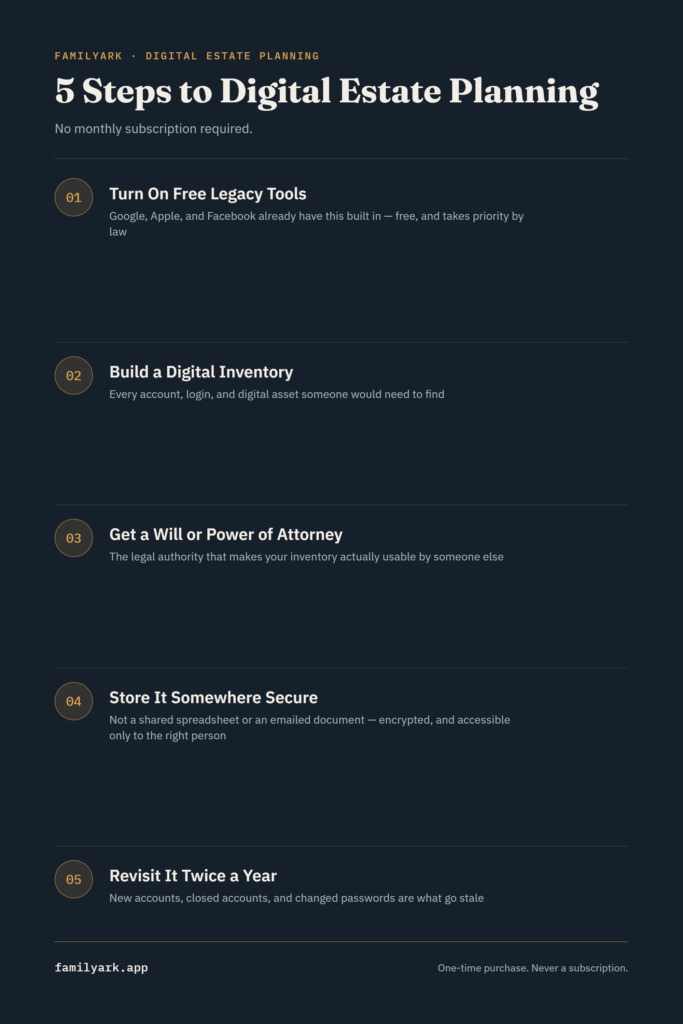
- Turn on the free legacy tools on Google, Apple, Facebook, and any other major platform you use — 20 minutes, no cost.
- Build your digital inventory — every account, login, and digital asset you’d want someone to find. Give yourself an hour and don’t try to be perfect the first pass.
- Get a will or power of attorney in place if you don’t already have one, and make sure it names someone and references that you maintain a digital asset list (it doesn’t need to contain the actual passwords — just establish the legal authority).
- Store the inventory securely and tell one trusted person where to find it and how to get in.
- Revisit it twice a year — new accounts, closed accounts, and changed passwords are the main things that go stale.
Frequently asked questions
Do I need a lawyer to do any of this? Not for the inventory itself — that’s just organization. For the will or power of attorney, you have options: a straightforward estate can often be handled through a reputable online will service, while more complex situations (blended families, business ownership, significant assets) are worth an attorney’s flat-fee package. This isn’t legal advice — the right path depends on your state and situation, so when in doubt, a short consultation with an estate attorney is worth the cost.
What happens if I don’t do any of this? Your family can often still get access eventually, but it typically means court involvement (a probate process) or lengthy support tickets with each individual company, sometimes over months. Some accounts and digital assets may simply be lost.
Is a password manager the same as digital estate planning? It’s one piece of it — most password managers now offer some form of emergency access or legacy contact — but it doesn’t cover the legal authority piece (the will/POA) or a full inventory of assets not stored as logins, like domain names or cryptocurrency held in cold storage.
How is this different from a regular will? A regular will covers physical and financial assets. Digital estate planning specifically addresses accounts and assets that live online, which most older will templates were never written to mention. The two work together, not instead of each other.