Bug-Out Bag Document Checklist (Free Printable)
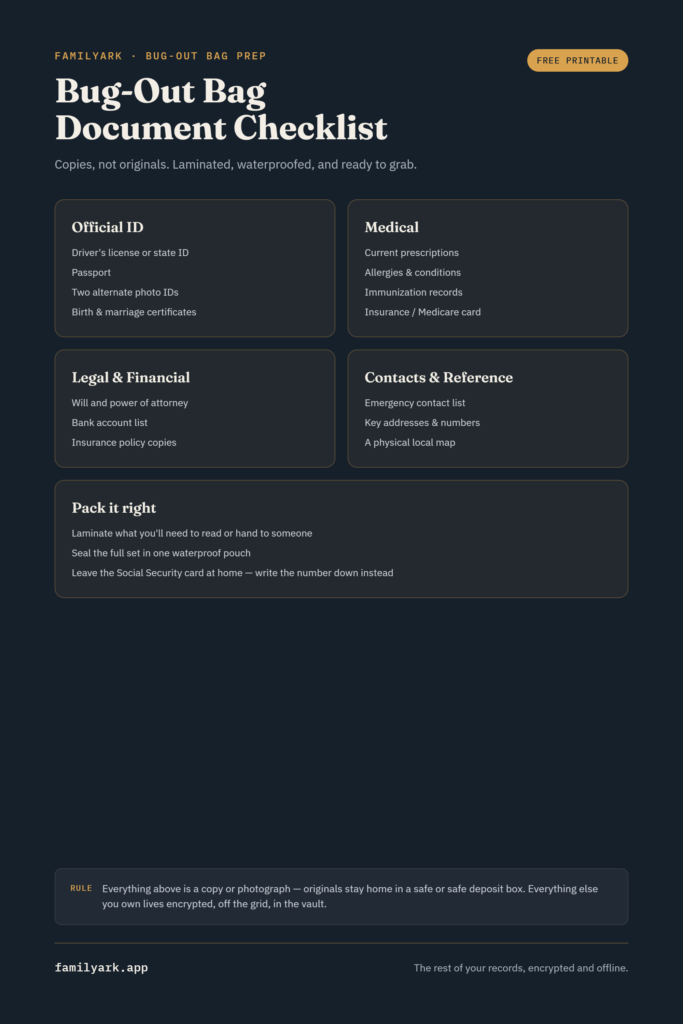
A bug-out bag document set needs official identification, medical information, and emergency contacts — laminated or in a waterproof pouch, kept as copies rather than originals, and small enough that weight and space never become an excuse to leave them out. Below is the full list by category, plus a free printable version you can fill out and pack today.
Copies, not originals
This is the rule almost every experienced prepper repeats: your bug-out bag should carry copies and photographs of your important documents, not the originals. Originals belong in a home safe or a safe deposit box. A bug-out bag gets grabbed in a hurry, carried through unpredictable conditions, and is more likely to be damaged, lost, or left behind than a document stored securely at home — copies mean that risk doesn’t cost you the real thing.
Protect what you pack
Paper alone doesn’t hold up well in the exact conditions a bug-out bag is built for. Two things make a real difference:
- Lamination. Laminated documents resist water and are far less prone to tearing than plain paper — for documents you’ll want to actually read and use in the field, lamination is worth the small upfront effort.
- A dedicated waterproof pouch. Even laminated documents benefit from a sealed pouch, both to keep everything organized in one place and as a second layer of protection against moisture.
The complete document checklist
Official identification
- Driver’s license or state ID
- Passport
- Two alternative forms of photo ID
- Birth certificate
- Marriage certificate, if applicable
Medical information
- A list of current prescriptions
- Known allergies and medical conditions
- Immunization records
- Health insurance or Medicare card
Legal and financial
- Last will and testament
- Power of attorney, if you have one
- A list of bank account numbers and institutions
- Copies of insurance policies (home, auto, health)
Contacts and reference
- Emergency contact list, including one out-of-area contact
- Addresses and phone numbers you’d otherwise rely on your phone for
- A local map, in case digital navigation isn’t available
A few extras worth the small space they take
- Recent family photos, in case you need to help identify a family member or pet
- A small notebook and pencil — reliable when a phone isn’t
What to leave digital instead
Weight and space are real constraints in a bug-out bag, so the physical copies should stay limited to what’s listed above. Anything beyond that — full financial records, less time-sensitive paperwork, a broader archive of family documents — belongs on an encrypted device or vault instead of taking up physical space you need for water, food, and shelter. This is the same principle covered in storing vital records offline and encrypted: the bag carries what you’d need in the first hours, and the encrypted vault carries everything else, safely, without adding weight to what you’re carrying.
Download the free printable checklist
To make this easy to act on, here’s a one-page printable version of the full list above — print it, check off what you’ve gathered, and drop it straight into your bag’s document pouch as a reference.
Download the Bug-Out Bag Document Checklist (PDF)
A simple weekend plan
- Gather the documents from the checklist above — photocopies, not originals.
- Laminate what you can, especially IDs and anything you’d need to physically hand to someone.
- Get a waterproof pouch sized for the stack you’ve gathered.
- Print the checklist and pack it alongside the documents.
- Review it every six months — expired IDs and outdated prescriptions are the most common things that go stale.
Frequently asked questions
Should I put my Social Security card in my bug-out bag?
Most guides recommend against carrying the physical card — it’s one of the harder documents to replace and a target for identity theft if the bag is lost. Write down the number on your document list instead of packing the card itself.
How often should I update the documents in my bag?
Every six months is a reasonable rhythm, and immediately after any major change — a new prescription, an expired ID, a new address.
Is a phone photo of my documents good enough instead of paper copies?
It’s a reasonable backup, but not a full replacement — a dead phone, cracked screen, or lost device means zero access. Paper (laminated, ideally) works regardless of battery or signal.
What if my bag gets lost with all of this in it?
This is exactly why originals stay at home and only copies travel in the bag — losing the bag is inconvenient, not catastrophic, as long as your originals and a complete digital backup exist elsewhere.
Write a message…