What Happens to Your Records If the Grid Goes Down
If the power grid goes down for more than a few hours, most people’s important documents effectively disappear with it — not because the files are destroyed, but because they live somewhere that needs electricity, a cell signal, or a working internet connection to reach. A birth certificate scanned into a cloud drive is safe from fire. It is not safe from a blackout that outlasts your phone’s battery and the cell tower’s backup power at the same time — which, as the numbers below show, is a lot more common than most people assume.
The grid is less reliable than it feels
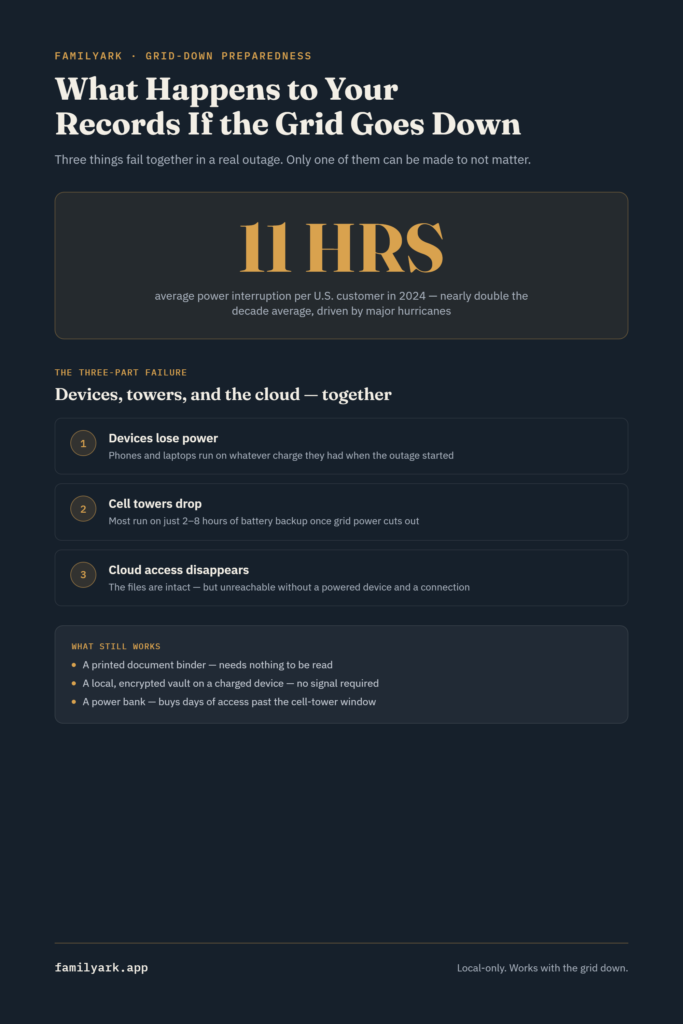
In 2024, the average U.S. customer experienced about 11 hours of power interruptions — nearly twice the annual average of the previous decade. Major events that year (hurricanes Beryl, Helene, and Milton among them) accounted for 80% of all outage hours. Hurricane Helene alone knocked out power for 5.9 million customers across 10 states, with over a million left without electricity in South Carolina for days.
In a normal year without a major disaster, outages average closer to two hours — brief, forgettable blips. That’s the outage most people picture when they hear “power’s out.” It is not the outage that actually threatens access to your records. That happens during the other kind: the multi-day, regional kind, and those have become measurably more frequent.
Why “the grid is down” is really three outages at once
An extended power outage rarely stays just a power problem. Three things tend to fail together, and each one closes off a different way you might normally reach your documents:
1. Your devices lose power. Phones and laptops run on batteries that were charged before the outage started — once they’re dead, so is every document stored only on them or accessed only through them.
2. Cell service degrades, then drops. Cell towers aren’t wired directly to an endless power source either — most run on battery backup lasting only 2 to 8 hours once grid power cuts out. Backup generators exist at some sites, but they depend on fuel deliveries that get harder, not easier, during a widespread emergency. Past roughly the first day of a serious outage, cell coverage in the affected area often thins out considerably.
3. Cloud access disappears with the connection. This is the one people forget until it happens: a cloud-stored document isn’t unavailable because it was deleted — it’s unavailable because reaching it requires exactly the two things you just lost, a powered device and a working connection to the internet. The document is still sitting on a server somewhere, perfectly intact, and completely unreachable.
Put together, this is the actual failure mode worth planning for: not “the lights are off,” but “the three things I normally use to access my documents just failed at the same time, for days, not hours.”
What still works when all three go down
The pattern above points directly at what a real plan needs to account for — access that doesn’t depend on the grid, a cell network, or a remote server being up:
- Paper copies, stored dry and organized, need nothing at all to be read. This is the entire logic behind the grab-and-go document binder covered earlier in this series.
- A charged offline device with a local, encrypted vault works as long as the device itself has power — no cell signal or internet connection required, because nothing is being fetched from a server. This is different from a cloud app in exactly the way that matters here: the documents are already on the device, not somewhere the device has to reach out to.
- A power bank or small solar charger extends how long that offline device stays usable well past the phone-battery and cell-tower window described above — often the single cheapest way to buy several extra days of access.
Notice what’s absent from that list: an internet connection, a cell signal, and a company’s servers staying online. That’s deliberate. A grid-down scenario is precisely when all three become the least reliable part of the plan, which is why they shouldn’t be the only path to your documents in the first place.
A simple weekend plan
- Confirm your critical documents exist somewhere that doesn’t require power or a connection to open — a physical binder, per the grab-and-go checklist, and a local encrypted vault on a device, per storing vital records offline.
- Get a power bank rated for at least two full phone charges, and keep it charged — this is the cheapest insurance in this entire plan.
- Test it with the power off. Turn off your home’s breaker for an hour (or just put your phone in airplane mode) and confirm you can actually open your vault and read your documents with no connection. This finds gaps a checklist alone won’t.
- Keep the bug-out version current too — the bug-out bag document checklist covers what to physically carry if you have to leave, which is a related but different problem than what to access if you stay.
- Revisit all of it every six months, the same rhythm as the rest of this series — expired documents and dead power banks are the two most common things that quietly stop working.
Frequently asked questions
Isn’t this overly cautious? Most outages are short. Most are — averaging around two hours in a typical year. But the outages worth planning for are the other kind: the multi-day, storm-driven ones that are becoming more frequent, not less. A plan built only for the two-hour outage does nothing during the one that actually matters.
If I have a generator, does any of this still apply? A generator solves the power half of the problem for your home. It doesn’t restore cell service if local towers are down, and it doesn’t make a cloud provider’s servers reachable if the disruption is regional rather than just at your address. Local, offline access to your documents is still the part a generator alone doesn’t cover.
How is an encrypted local vault different from just saving files to my phone? Mainly in organization and protection — a proper vault keeps documents encrypted (AES-256, ideally) and organized by category, rather than scattered as unprotected files or photos. But the “no internet required” property that matters most here is the same either way: if the files are actually stored on the device, they open with no connection.
What’s the single highest-value thing to do this week? Charge a power bank and put it with your go-bag or your document binder. It’s inexpensive, takes five minutes, and directly targets the exact failure point — a dead device — that turns a temporary outage into a real access problem.
Sources: EIA — 2024 hurricanes led to the most hours without power in a decade, Airwave Advisors — cell tower backup power during outages